

Hi.
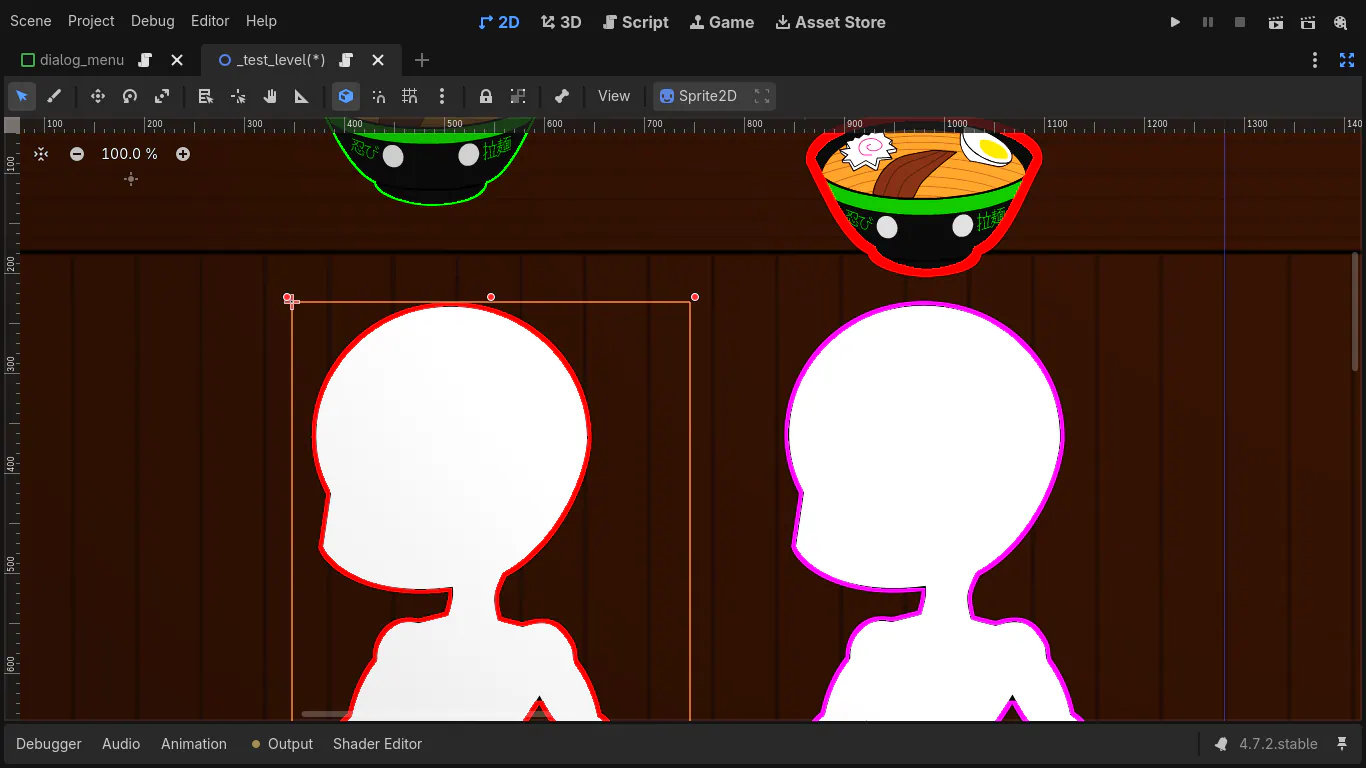
After a bigger update than expected last time, now I bring two weeks of a single subject: Shaders. It was not supposed to be complicated, but going from a background of web-development to working over individual pixels was mind-bending.
Learning Process
Since a lot less than usual was released this time, it's worth to detail why a single new thing took me so long.
Outline Border
As said before, all of my progress in the last two weeks was only on shaders. And here is where lots of research and clankers (Proton Lumo and DuckDuck.ai) helped me a lot on study and practice, making the learning curve a lot smaller than it would be just by following manuals.
My original shader idea was to add an outline on sprites in-game, so the images would not to have a pre-applied border - which would be great for character parts.
Then came the first problem: to do this in Godot, either the image needs a transparent border or the shader needs to increase the size of the vector used by a Sprite, so there is room for the outline.
Along with more complex math, this first method implies in higher performance cost and has a fatal flaw: it won't work well for CanvasGroup, required for characters, at least not without even more performance impact.
So another solution was required. After some days trying to work around the limitation of not knowing the size of a CanvasGroup without bad performance, to make room for an outline, another solution sparked on my mind and was quickly validated by clankers: using the a border already on the image to create an outline.
This second approach would used this detected pixels as the innermost part of the outline, growing outward from them. Detecting a pre-defined color made the code easier, but did not eliminate the vector manipulation problem.
At this point, just to test out how good clankers are with complex tasks, I asked two AI's how to improve the shader code. With each prompt the result got more and more absurd, quickly becoming dysfunctional hallucinations.
Game Changer
Then a realization came into my mind: what if I ditch all the "complex" vector math and just grow an outline inside the sprite itself, with very simple rules?
Rebuilding from scratch, with what I learned from shaders freely available online and the ones suggested by clankers, I got a working version by checking neighbors to detect the kind of the current pixel - which is determined by simple rules:
- Transparent
Has only transparent neighbors - Border
Has both transparent and opaque neighbors
- Content
Has only opaque neighbors
Current Progress
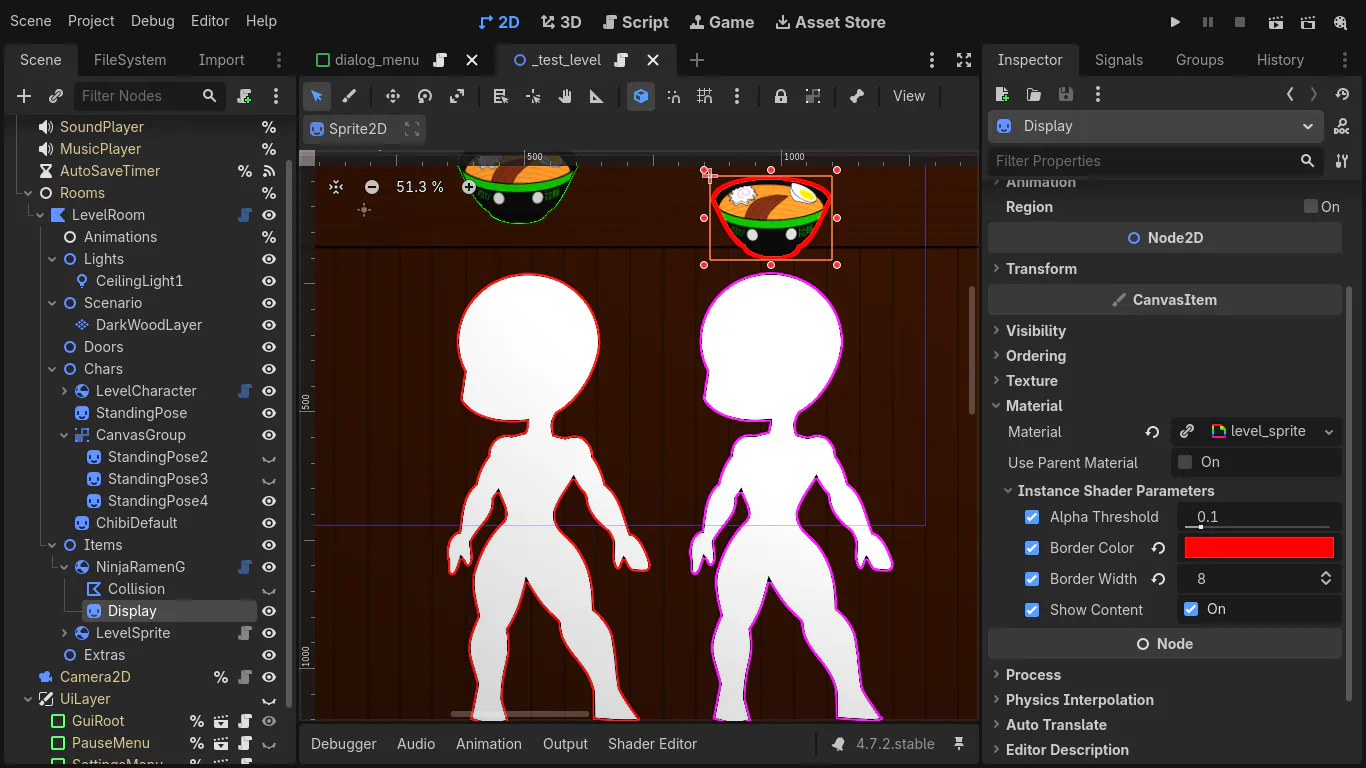
After a week of tests and optimizations, the code for our Sprite Border Shader was improved enough to guarantee faster performance than most shaders. The trick is simple: minimizing texture reads. This is done by splitting the pixel processing in two steps:
- Check immediate neighbors to detect transparent pixels (all neighbors are transparent)
- Check the most distant neighbors (distance = borderwidth parameter) to detect pixel type
If the first step determines that the pixel is transparent, the second step won't even run - so transparency makes the code lighter. This first step always read the 8 immediate neighbor pixels (all directions plus diagonals).
If the code reaches the second step, only a square "ring" of the most distant neighbors will be checked. This intentionally excludes all pixels between the center and the "ring", because at this point the rules can be accurately determined by the most distant neighbors.
To make this shader useful for the project, I set all of it's parameter to be configurable for each Sprite (per instance parameters). Making a version this shader for CanvasGroups is easy, so it is on my checklist.
A word about Performance
The first step in Shader has a fixed cost of 8 texture reads, which is the cost of the shader for a borderwidth of 1px, so it's a fixed cost of 8.
On the second step a funny mathematical fact happens to make a linear progression.
The cost to read a square region around the current pixel (including it) scales with ((2 * distance) + 1) ^ 2, which give 9 reads for a 1px distance, 25 reads for a 2px distance, 49 reads for 3px and so on - an horrific quadratic scaling that kills performance.
But reading only the pixels on the outer border, starting by a distance of 2px (because the first step already checked immediate neighbors), removes ((2 * (distance - 1)) + 1) ^ 2 pixels from the processing - effectively preventing 9 of the 25 reads in a distance of 2px, resulting in only 16 reads. The same continues to happen in bigger distances, with 24 reads for a distance of 3px (instead of 49), 32 reads for a distance of 4px (instead of 81) and so on. Since our distance is border_width, here comes the progression: 8 * border_width.
Thus, this shader has linear progression for it's performance cost, making it a lot faster than the examples I found only and also than the ones generated by AIs.
Next Steps
Update all Items
With the current implementation of Sprite Border Shader I can already update all items in-game to use it, cutting by half the number of images needed for items - since the outlined version is not necessary anymore.
I already started the basis for this change in my tests, but noticed more can be done atop of that.
There is also an improvement to be made on the Shader itself, adding anti-alias between the new border and content, but I'm leaving that to another time to not spend too much time without making new stuff.
Improved code
Since Items and Characters will now have different code (depending on Sprite or CanvasGroup usage), I figured a new code to properly handle those cases - and their common behavior - is needed. I'm currently working on that.
Along having a more specialized code for each case, I noticed that the previous reworks on Camera and UI opened a nice path to make each interactive Level object have a bigger control on it's interaction. This makes no difference in this game but would be crucial for other styles, so I'm adopting this change to already be used to it in future projects.
Not forgotten
I still have to implement the basic navigation for all levels, which have only one reason to not be done yet: the totality of my work time in the last weeks went for shaders.
Even though the shader code took longer than expected, seeing the result was very satisfying and got me anxious to do more - to the point I was working while almost falling asleep in front of the PC some days!
But for now, until the next Devlog.